Case study 3
Shaping the app that brings the Sonos system together

The Sonos app controls and configures a Sonos system. Customers use it to choose what plays and where, group rooms, adjust sound, set up products and manage system settings.
As the system expanded, with more products per home, new kinds of products and new features, the core experience had to evolve with it. Playing, grouping and volume control needed to work as well across a whole home as they did in a single room.
Source: Sonos FY2025 Annual Report. Figures as of September 27, 2025.
Context
Rebuilding the everyday experience, step by step
Following the May 2024 app update, my team worked on improvements to navigation, playback, and system control to make everyday interactions clearer and easier to use.
Core interaction
Starting with what you want to hear
Sonos customers don’t always approach listening in the same order. Sometimes they start with a room, such as the kitchen. Other times they start with an album, playlist or station.
Contextual Play showed customers where music would play directly in the Play button, with quick access to the grouping menu to change the playback destination. Customers could start playback without first navigating to the room they wanted, helping them avoid playing music in the wrong room and correcting it afterward.
It launched in the Sonos mobile apps in September 2025.
Information architecture
Evolving the navigation model
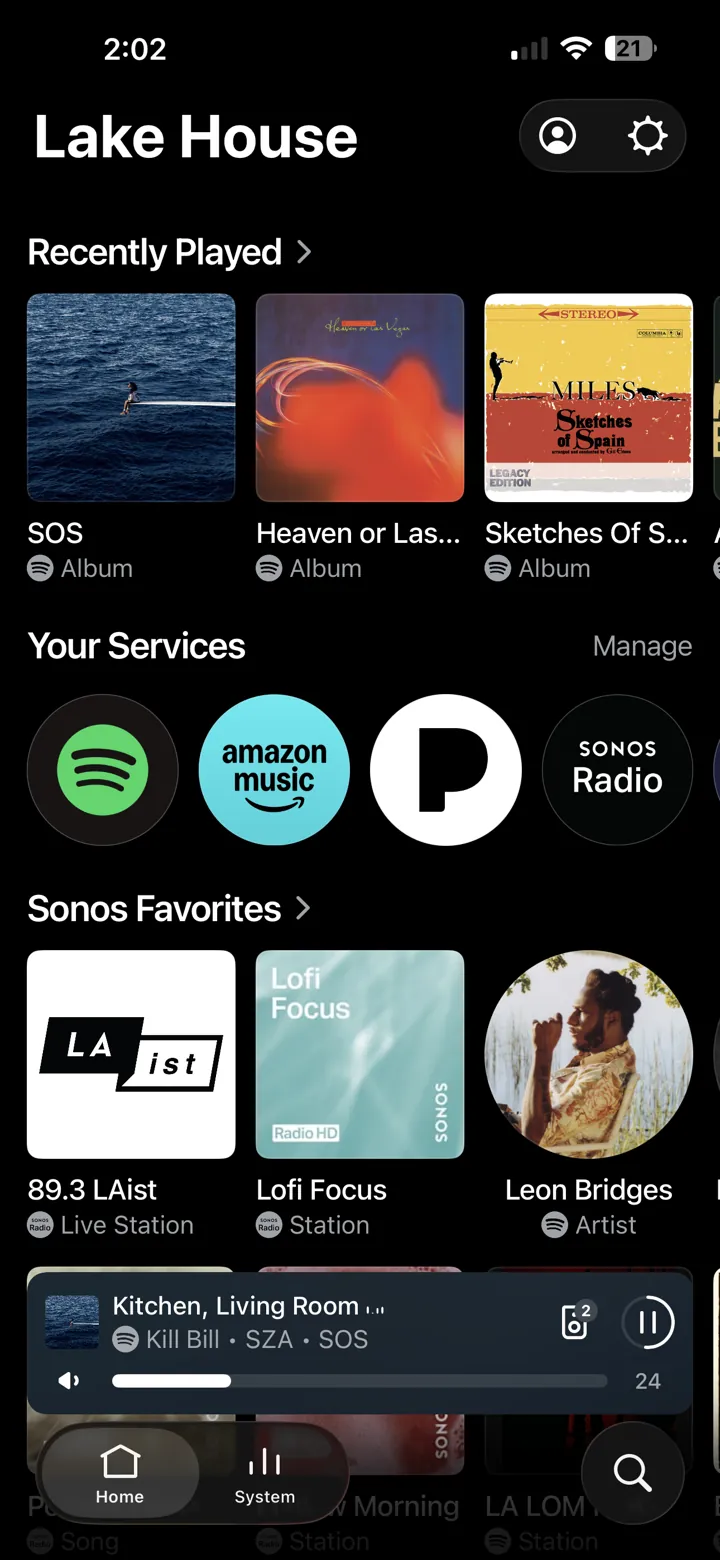
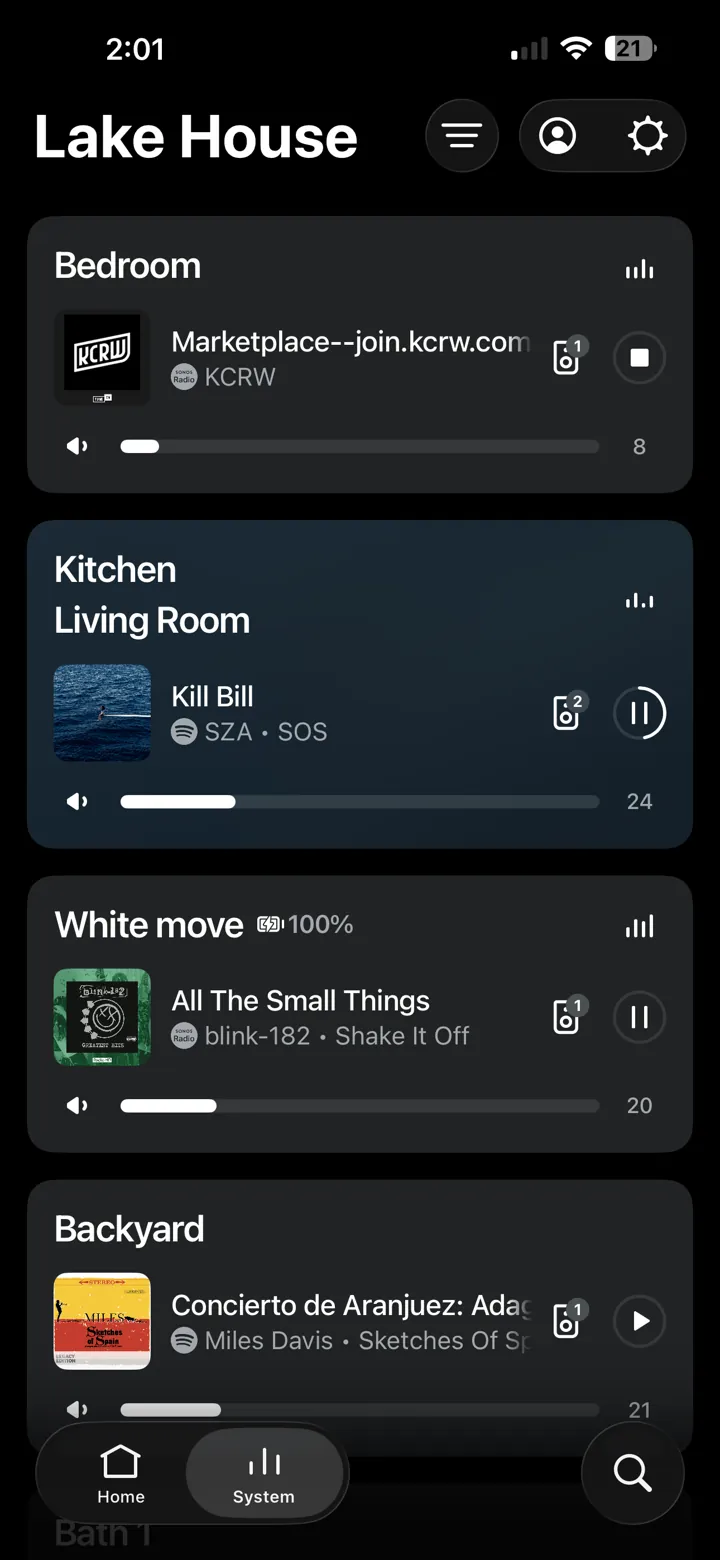
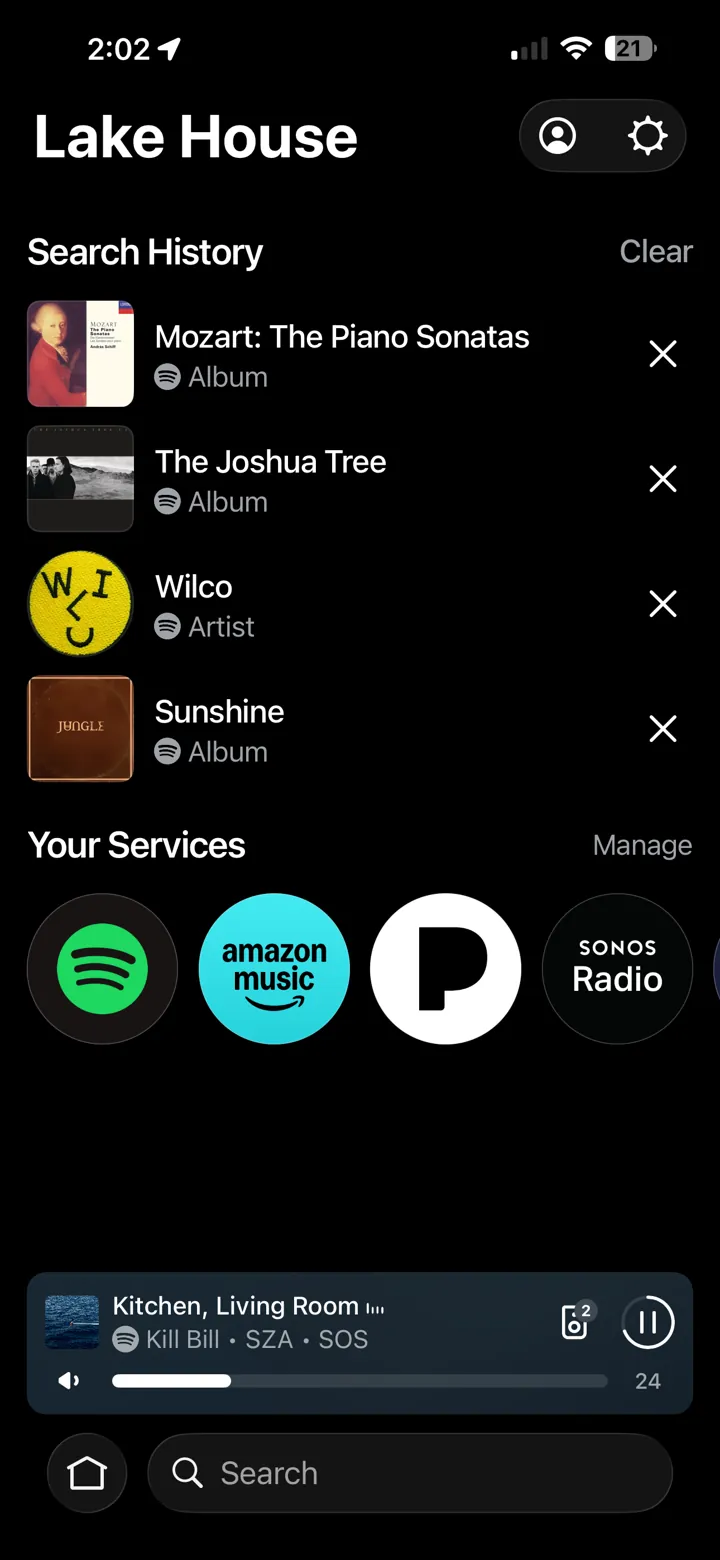
As we continued improving the core experience, we revisited the app’s navigation. Home, System and Search became persistent destinations, creating a more familiar structure for moving between content and control. We used familiar iOS conventions where possible.
The new navigation rolled out through 2026, first as an opt-in setting in July and then as the default for everyone in the fall.
Interaction detail
Refining everyday control
We also refined frequently used controls, including volume. Volume combines direct manipulation with persistent +/– controls.
The new volume interface shipped on iOS in July 2026.
Control beyond the app
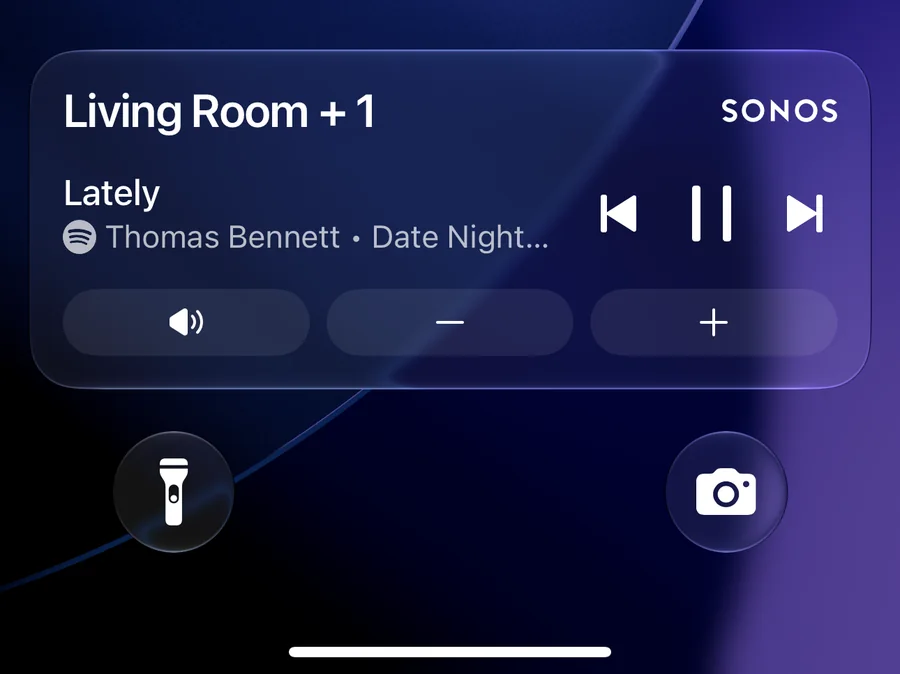
Not every improvement lived inside the app. My team was also involved in bringing Sonos controls to the iPhone lock screen with iOS Live Activities, and in adding actions to iOS Shortcuts, so common tasks worked the way people expect on their phones. Together these changes make the daily control for a complex system easier to use for all listeners in the home.